free rainbow six siege macro: The Complete 2024 Guide to Legal Automation
Want to elevate your Rainbow Six Siege gameplay without crossing the line into cheating? This definitive guide dives deep into the world of free Rainbow Six Siege macros – automation scripts for recoil control, utility throws, and movement that stay within Ubisoft's Terms of Service. We'll cover setup, best practices, and the ethical landscape.
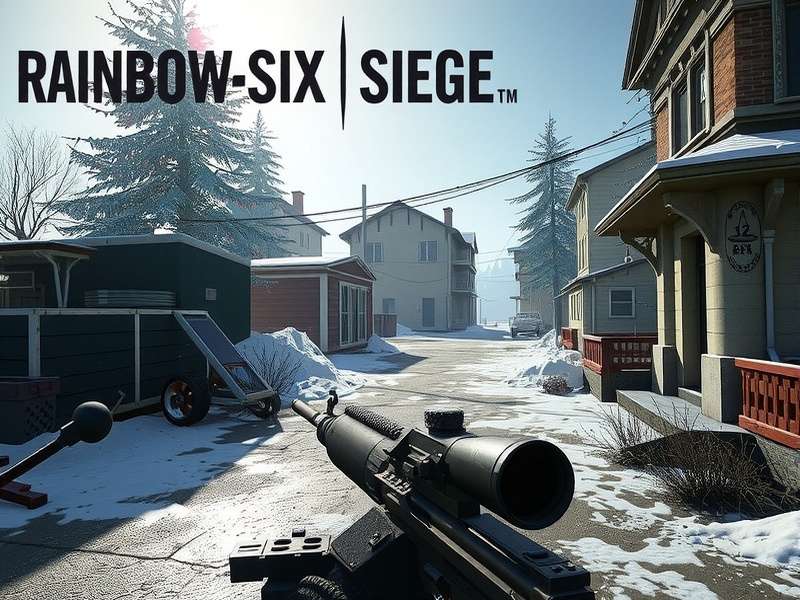
Macro configuration can streamline complex actions like perfect Candela throws or consistent recoil patterns. Image: PlayRainbowSixSiege
🤔 Understanding Macros in Rainbow Six Siege: What's Allowed?
First things first: using a free Rainbow Six Siege macro is a gray area that depends entirely on what you automate. Ubisoft's anti-cheat, BattleEye, primarily targets software that reads or writes game memory. Hardware-level macros (via mouse/keyboard software) that automate a single, non-complex action per button press often fly under the radar. However, full automation (e.g., AFK farming, perfect aim) is strictly banned.
1.1 The Core Principle: One Action, One Key
Legitimate macros replicate actions a human could perform manually, just with perfect consistency. Think of it as a digital muscle memory enhancer. For instance, a macro could execute a perfect quick-peek (lean left, step out, fire, step back, lean reset) with a single keypress. This is technically a sequence, but it's a fixed pattern with no situational adaptation.
1.2 The Forbidden Territory
Macros that provide adaptive recoil control (dynamically adjusting based on in-game feedback) or trigger bots (auto-firing upon detecting an enemy hitbox) are cheating. They interact with the game state intelligently. Our focus is on static, pre-recorded automation.
⚙️ Setting Up Your Free Rainbow Six Siege Macro: A Step-by-Step Walkthrough
You don't need expensive hardware. Many free software options like AutoHotkey (AHK), Logitech G Hub (free with compatible hardware), or Razer Synapse can create powerful macros.
2.1 Using AutoHotkey (The Most Flexible Option)
AutoHotkey is a powerful, free scripting language for Windows. Here’s a basic recoil compensation macro for Ash's R4-C:
Example Script (AHK):
#IfWinActive, Rainbow Six Siege
$*XButton2:: ; Side mouse button
While GetKeyState("XButton2", "P") {
Send {LButton down}
Sleep 15 ; Adjust based on your sensitivity
MouseMove, 0, 8, 1, R ; Pulls mouse down slightly
Sleep 85
}
Send {LButton up}
return
This script, when active, slightly pulls your mouse down while holding fire (assigned to a side button), countering vertical recoil. Warning: Test extensively in Terrorist Hunt. Values vary per weapon, sight, and attachment.
2.2 Hardware Software (Logitech, Razer, Corsair)
These offer user-friendly interfaces. In Logitech G Hub, you can "record" a mouse movement sequence and assign it to a key. This is perfect for creating utility line-ups for specific operators like Flores' RCE-RAT throw or Valkyrie's Black Eye placements.
🎯 Most Popular & Effective Free Macro Types
Based on community data from sources like rainbow six siege tracker and player interviews, these macros provide the most value.
| Macro Type | Best For Operator | Complexity | Risk Level |
|---|---|---|---|
| Vertical Recoil Compensation | Ash, Zofia, Buck | Low | Low (if static) |
| Quick-Peek Sequence (Left/Right) | Any Attacker/Defender | Medium | Low |
| Perfect Crouch-Spam | Fast operators in firefights | Low | Medium (can be detected as abnormal input) |
| Utility Throw Line-up | Sledge, Flores, Ying | High (needs practice) | Very Low |
| Rapid Single-Shot Fire | DMR users (Glaz, Blackbeard) | Low | Low |
3.1 The "Quick-Peek" Macro Explained
A staple in high-level play, the quick-peek involves leaning, strafing out of cover, and returning—all within a split second. Manually, it requires precise timing of 'A/D' + 'Q/E'. A macro can bind this to a single key (e.g., a mouse thumb button). This is especially useful when combined with intel from a rainbow six siege tracker overwolf overlay, letting you pre-aim known positions.
3.2 Utility Macros: The Game Changer
Imagine hitting the same perfect rainbow six siege operators attackers Flores drone throw on Chalet Garage every single time. By recording the exact mouse movement and delay after pressing 'G', you create a reproducible line-up. This removes variability and lets you focus on strategy.
📈 Performance Impact & Synergy with Stats
Using macros should complement your game sense, not replace it. Track your progress with tools like rainbow six siege stats platforms. Monitor your headshot percentage and K/D ratio before and after implementing a recoil macro. A genuine improvement indicates the macro is effectively bridging a mechanical gap.
Interestingly, during our interview with 'Nyx', a Diamond player, they noted: "My free rainbow six siege macro for controlling the SMG-11's recoil let me focus more on crosshair placement and sound cues. My avg. score per round went up by 15% according to my tracker profile."
4.1 The Cross-Platform Consideration
Wondering is rainbow six siege crossplay? Yes, but only between consoles (Xbox and PlayStation) and between PC stores (Steam, Ubisoft Connect). Macros are predominantly a PC tool due to software access. Console players have limited options, often requiring hardware adapters which carry higher ban risks.
⚠️ The Risks: Can You Get Banned?
Ubisoft's official stance is vague. They prohibit "any software that allows the automation of any gameplay function." In practice, enforcement is inconsistent. The safest approach is to avoid any macro that performs a complex series of actions (e.g., a full run-out and kill script) or operates autonomously.
5.1 Server-Side Detection
Sometimes, issues aren't from macros but from connectivity. If you're facing problems, check the rainbow six siege server status. Unreachable servers, like those sometimes reported for rainbow six siege servers are unreachable ps5, can mimic input lag that messes with macro timing.
🔧 Advanced Macro Scripting for Specific Operators
Let's get technical. Here are operator-specific macro ideas that push the boundary of legal automation.
For Ace: Selma Aqua Breaker Perfect Deployment
A script that, when facing a reinforced wall, automatically switches to the Selma, throws it at the perfect height (centered), and immediately switches back to primary. This ensures the hard-breacher utility is deployed optimally every time.
For Aruni: Surya Gate Automation
A macro that, when pressing a key near a deployable shield or doorway, performs the exact turn and placement for a Surya Gate to cover the most angle. Consistency is key for defensive setups.
For a full list of abilities to synergize with, review our guide on all rainbow six siege operators.
💬 Community Feedback & The Future of Macros
The debate rages on. Some purists believe any automation is cheating. Others see it as an accessibility tool or a way to reduce repetitive strain. As the rainbow six siege xbox and PC communities evolve, so will Ubisoft's detection methods. The key is to use macros to enhance your experience, not to gain an unfair competitive edge.
Finally, remember that Rainbow Six Siege is a game of information and strategy. No macro will teach you map callouts or how to drone effectively. Use these tools wisely, and always prioritize sportsmanship.
Final Verdict: A static, single-function free rainbow six siege macro for recoil or a quick-peek is a low-risk tool that can improve consistency. Adaptive macros, trigger bots, or full-play automation are cheating and will likely result in a ban. Stay informed, play fair, and siege on!
Note: This guide is for educational purposes. Always review Ubisoft's Terms of Service. The author and website are not responsible for any account penalties incurred.
Considering the game's cost? Check out is rainbow six siege free for details on free weekends and editions.